Onboarding to TACC
The Texas Advanced Computing Center (TACC) at UT Austin designs and operates some of the world’s most powerful computing resources. The center’s mission is to enable discoveries that advance science and society through the application of advanced computing technologies.
We will be using cloud resources at TACC as our development environment. We will access the cloud resources via our SSH clients and TACC account credentials.
Attention
Everyone please apply for a TACC account now using this link. If you already have a TACC account, you can just use that. Send your TACC username to the course instructors via Slack or e-mail as soon as possible (see below).
To: {wallen, charlie, bkuritz, jstubbs} [at] tacc [dot] utexas [dot] edu
From: you
Subject: COE 332 TACC Account
Body: Please include your name, EID, TACC user name
About TACC
TACC is a Research Center, part of UT Austin, and located at the JJ Pickle Research Campus.
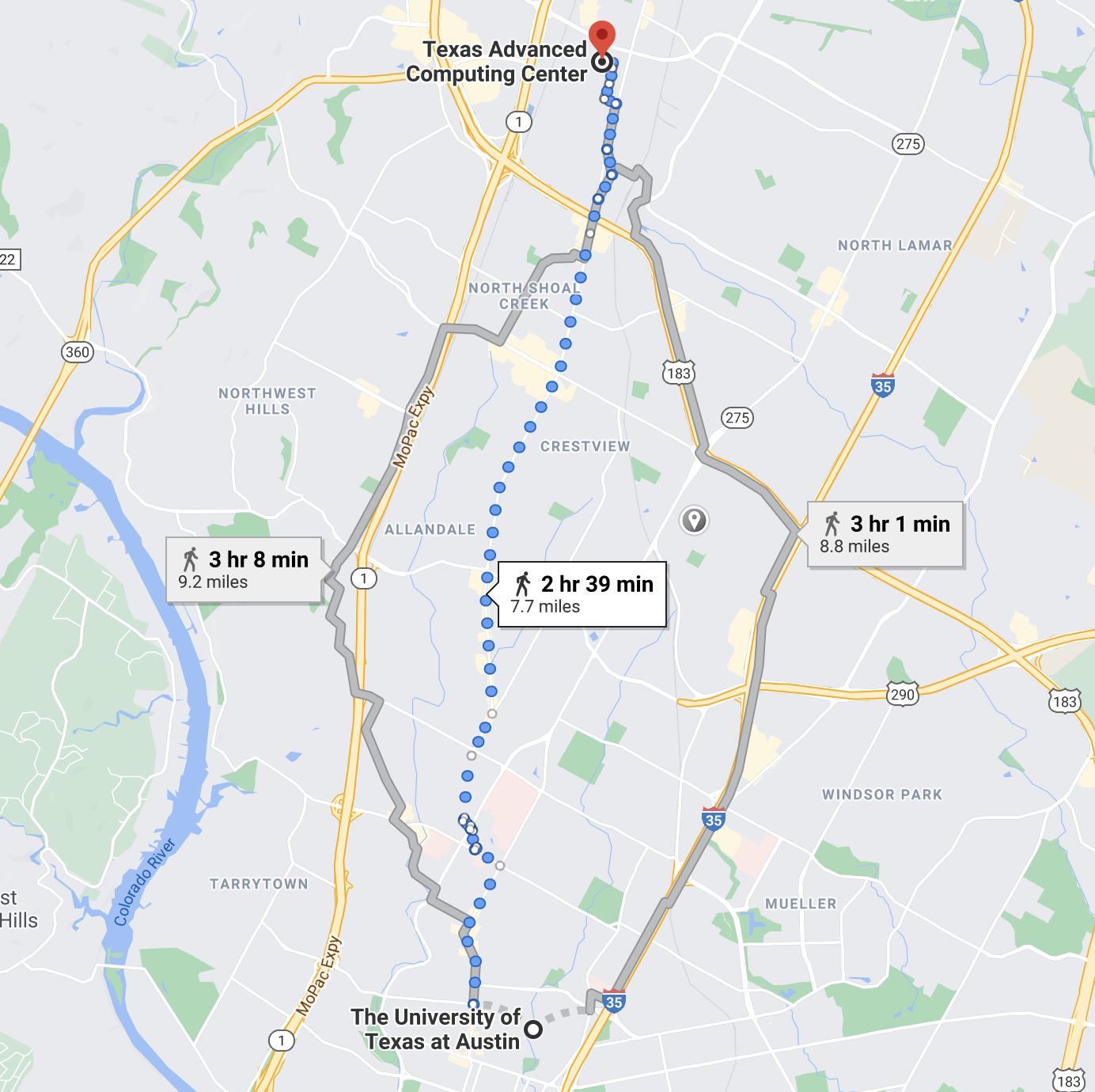
A short 7.7 mile walk from main campus!
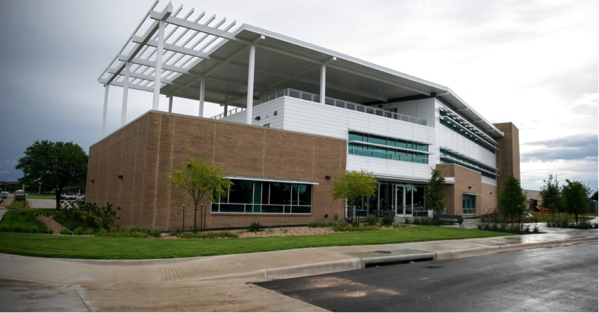
One of two TACC buildings located at JJ Pickle.
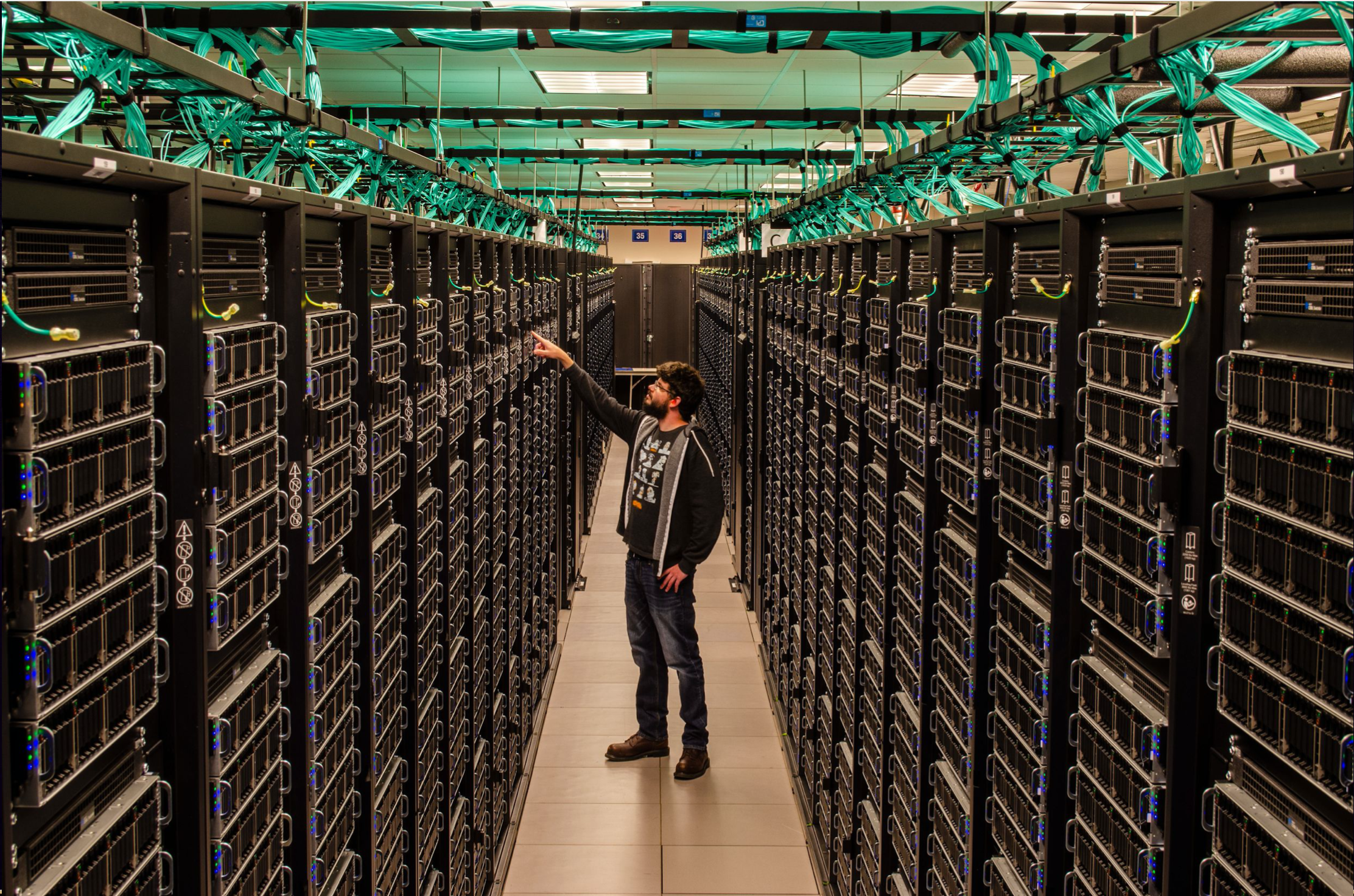
A tall guy standing among taller Frontera racks.
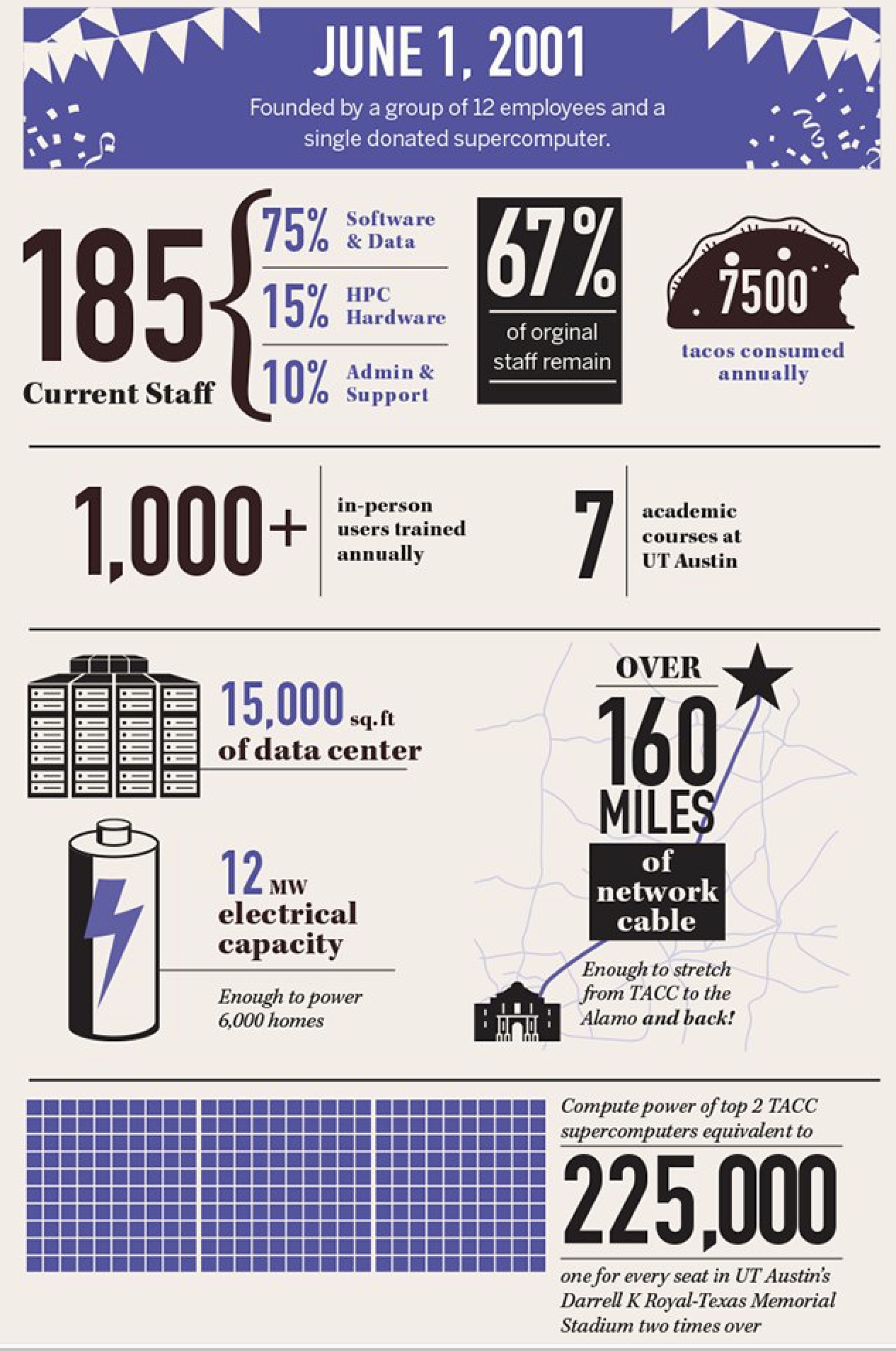
TACC at a Glance
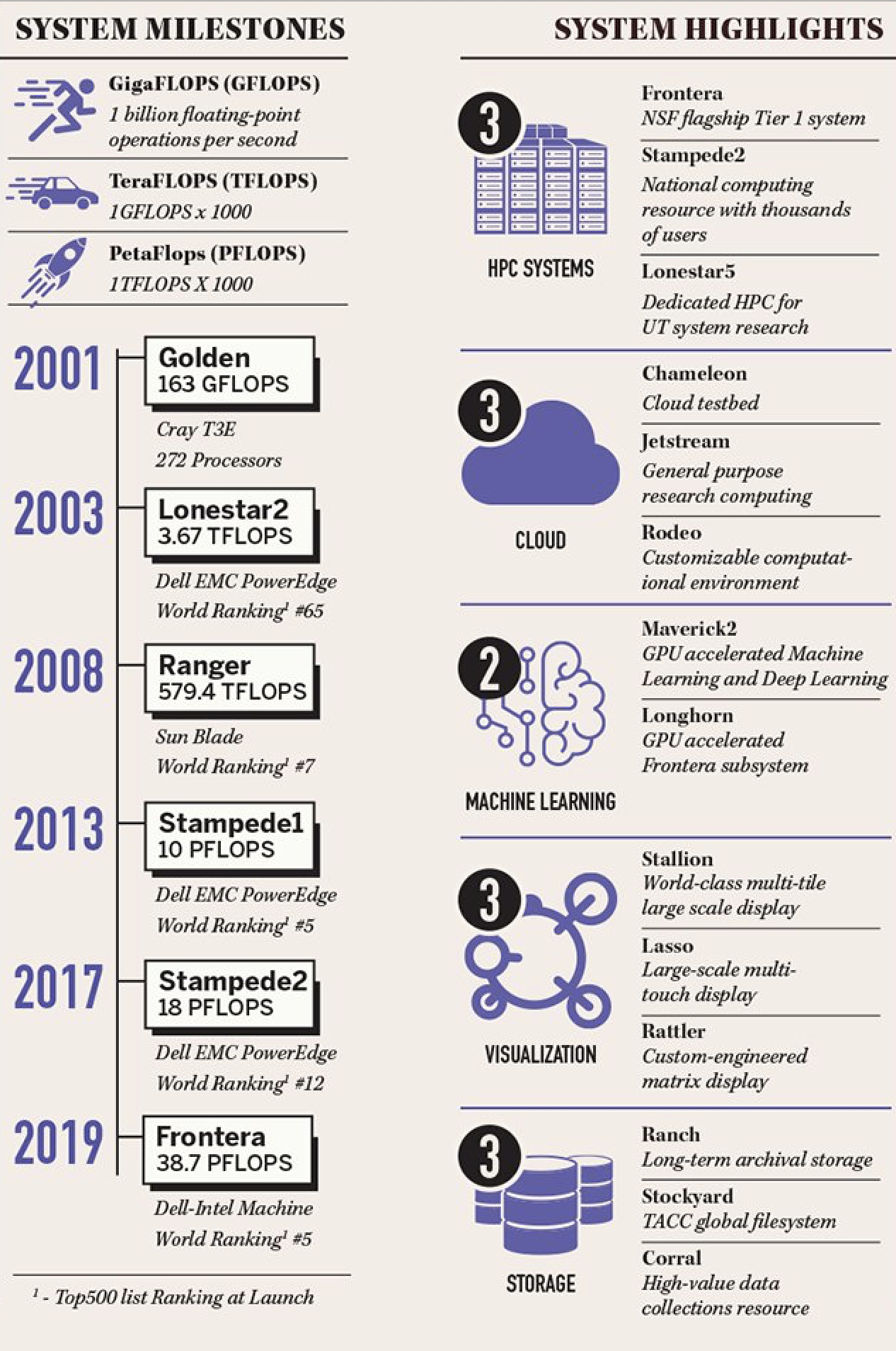
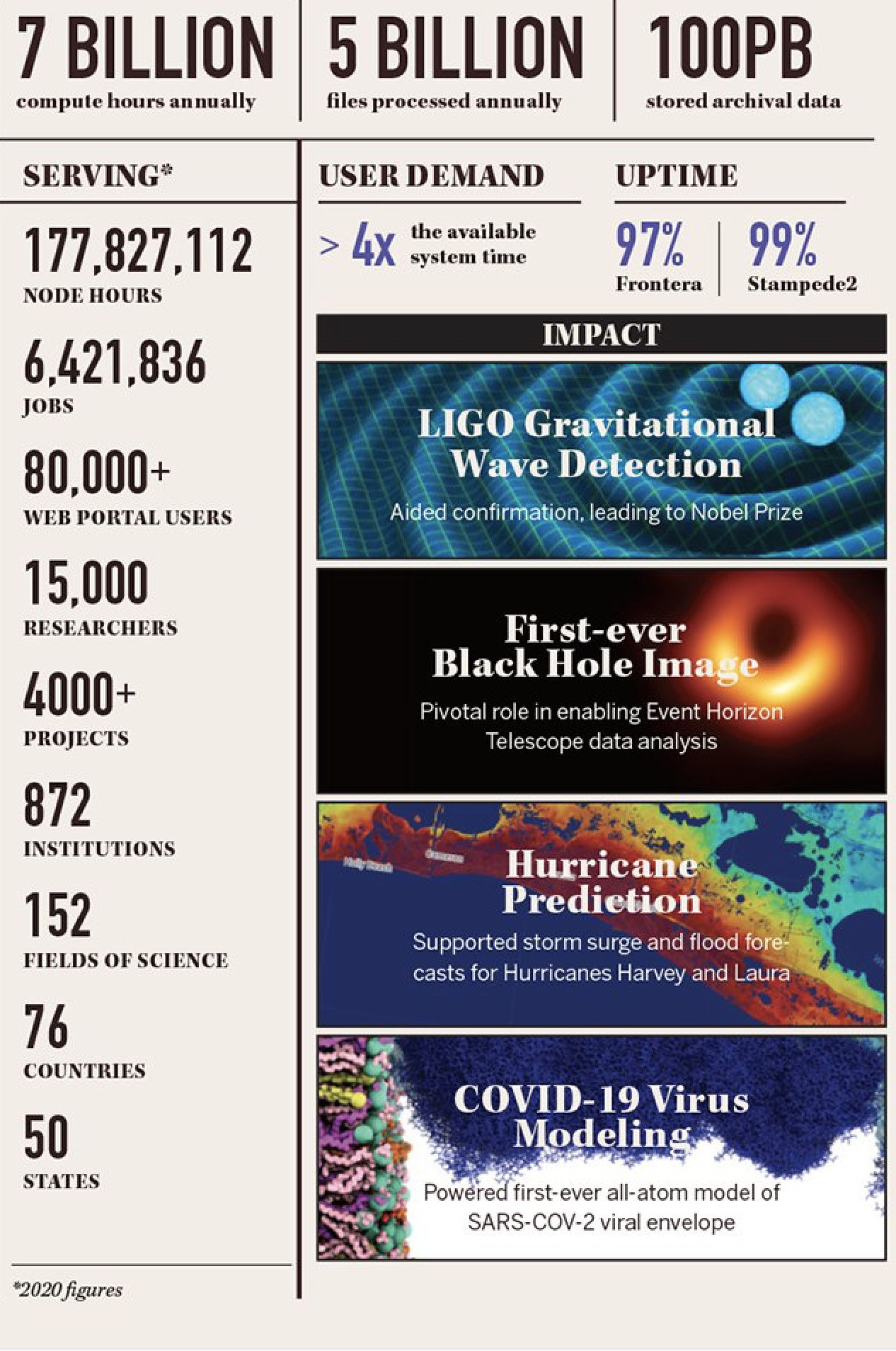
Other TACC Services
Portals and gateways
Web service APIs
Rich software stacks
Consulting
Curation and analysis
Code optimization
Training and outreach
=> Learn more
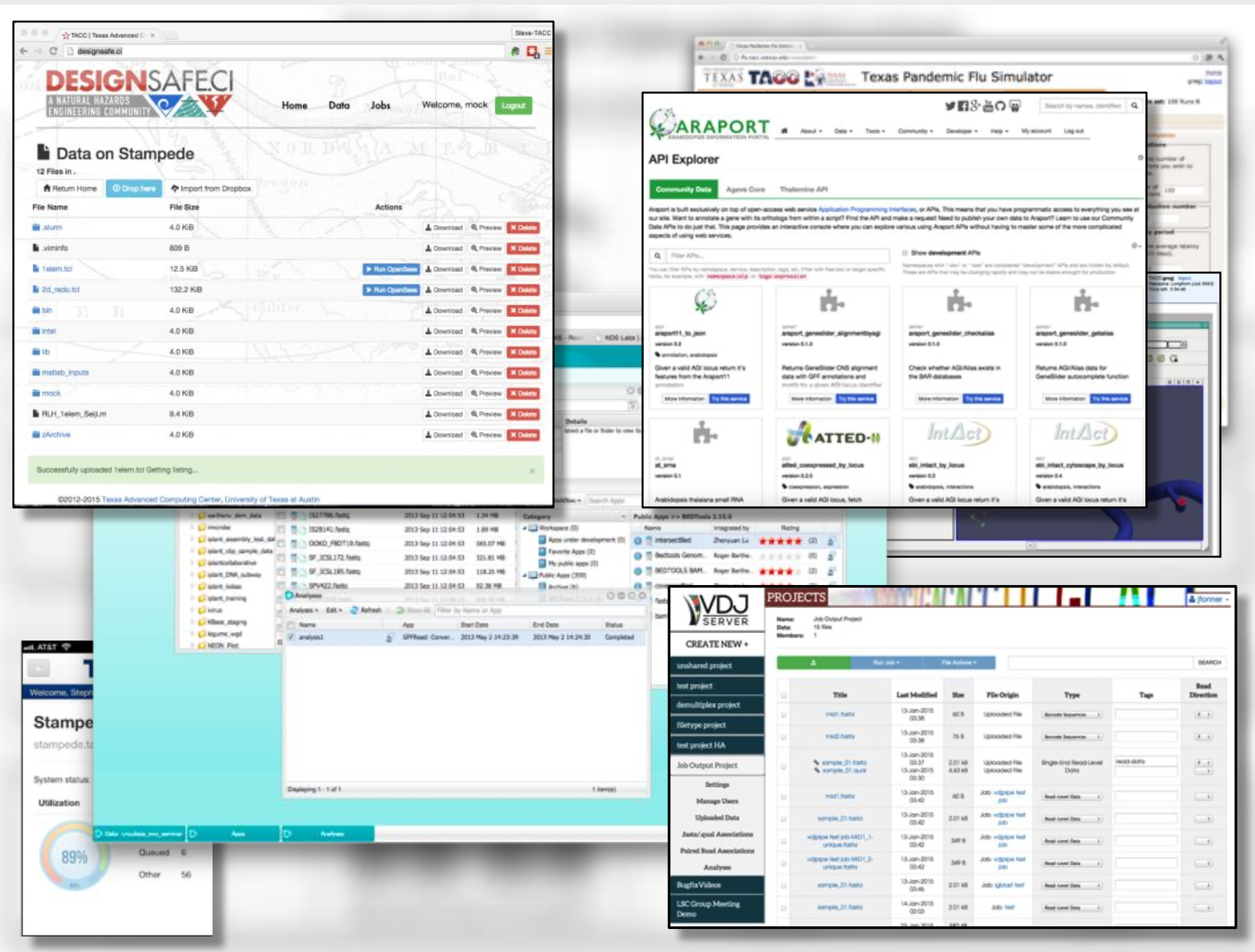
Snapshot of a few of TACC’s portal projects.
TACC Partnerships
NSF: Leadership Class Computing Facility (LCCF)
NSF: Extreme Science and Engineering Discovery Environment (XSEDE)
UT Research Cyberinfrastructure (UTRC)
TX Lonestar Education and Research Network (LEARN)
Industry, STAR Program
International, The International Collaboratory for Emerging Technologies
=> Learn more
Attention
Did you already e-mail your TACC username to the course instructors?
Which brings us to the question of why are we here teaching this class?
Engineering Complex Systems in the Cloud
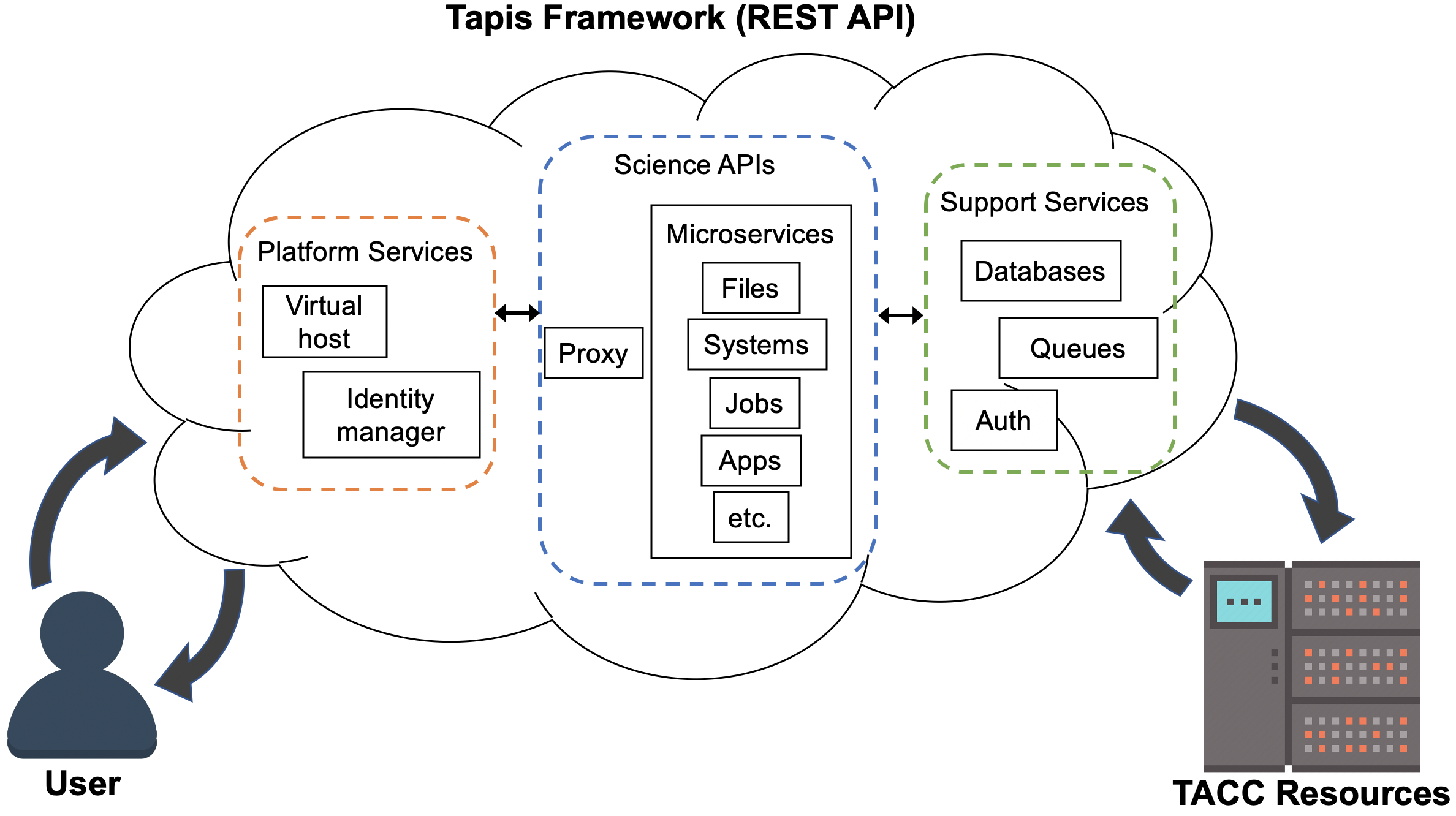
The Tapis Framework, developed at TACC, is a great example of a complex assembly of code with many moving parts, engineered to help researchers interact with high performance computing systems in streamlined and automated ways. Tapis empowers its users to:
Authenticate using TACC (or other) credentials
Manage, move, share, and publish data sets
Run scientific code in batch jobs on clusters
Set up event-driven processes
The above description of Tapis and the below schematic diagram are both intentionally left a little bit vague as we will cover more of the specifics of Tapis later on in the semester.
Tip
Astute observers may notice that most, if not all, tools, technologies, and concepts that form the Tapis ecosystem show up somewhere in the agenda for COE 332.
Demo Applications of Tapis
So what can you do with Tapis?
Why would I want to build something similar?
Why should I learn how to use all of these tools and technologies?
Without concrete examples, it can seem rather esoteric. The two vignettes below hopefully illustrate how a carefully designed framework can be employed to tackle real-world problems.
Vignette 1: Drug Discovery Portal
Problem: The early stages of drug discovery employ a computational process called “virtual screening” to narrow millions or even billions of potential drug hits down to a few hundred or thousand that can be tested in a lab. The virtual screening process can be computationally intensive and difficult for novice users to do well.
Importance: Virtual screening can save a lot of time and money in the drug discovery process by narrowing the search. Small molecules can be tested for compatibility with protein targets before the wet lab research begins.
Approach: Faculty and staff from UTMB Galveston and TACC used the Tapis framework to deploy a service for virtual screening in a point-and click web interface.
Result: Users of the “Drug Discovery Portal” can upload target proteins and click a few buttons to start running large-scale virtual screens directly on TACC clusters. No prior experience in virtual screening, the Linux command line interface, or batch queueing systems is required.
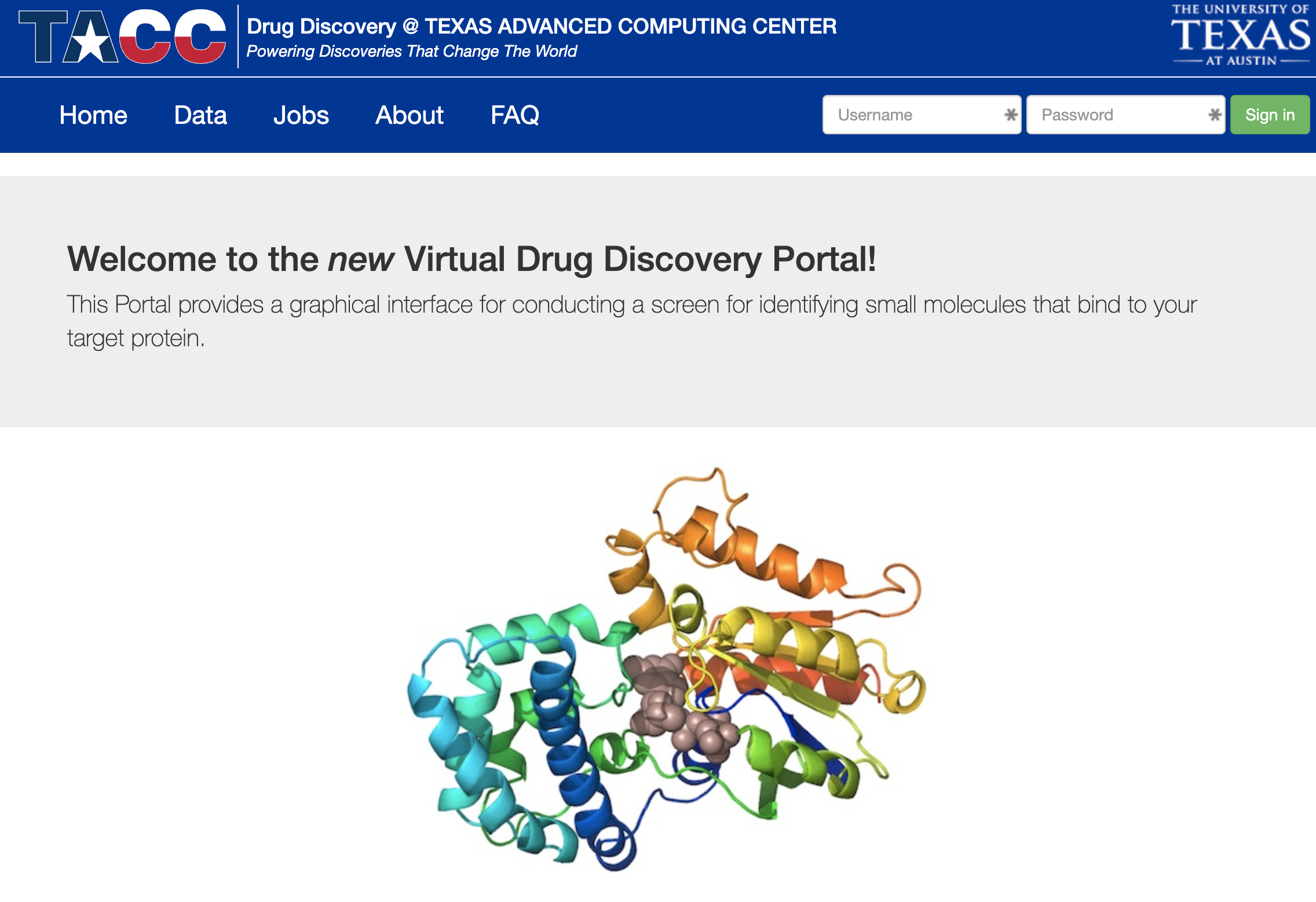
Drug Discovery Portal web interface.
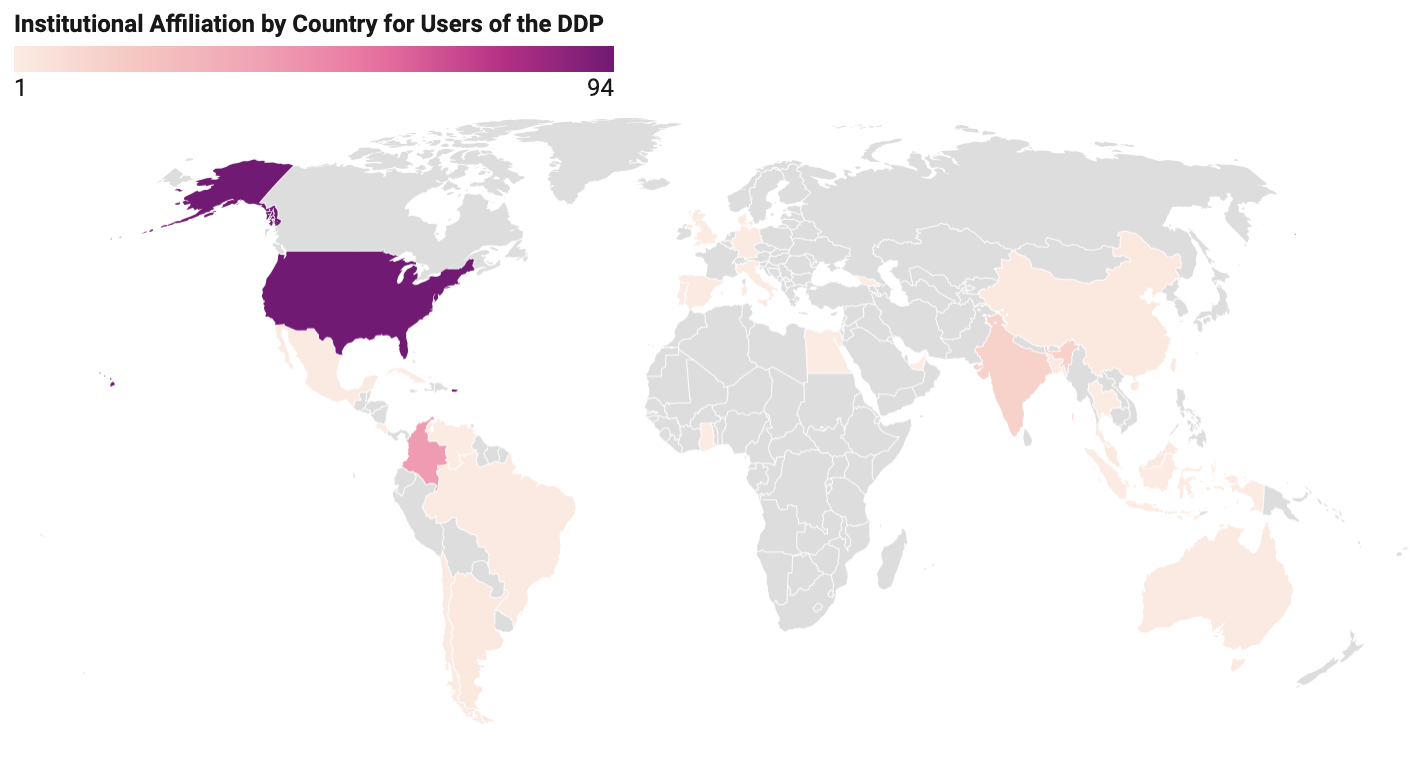
Researchers from around the world using the platform.
Source: https://doi.org/10.1021/ci500531r
Vignette 2: Real-Time Quantitative MRI
Problem: Quantitative analysis of MR images is typically performed after the patient has left the scanner. Corrupted or poor quality images can result in patient call backs, delaying disease intervention.
Importance: Real-time analytics of MRI scans can enable same-session quality control, reducing patient call backs, and it can enable precision medicine.
Approach: Faculty and staff from UTHealth - Houston and TACC used the Tapis framework to help develop an automated platform for real-time MRI.
Result: Scan data can now be automatically processed on high performance computing resources in real-time with no human intervention.
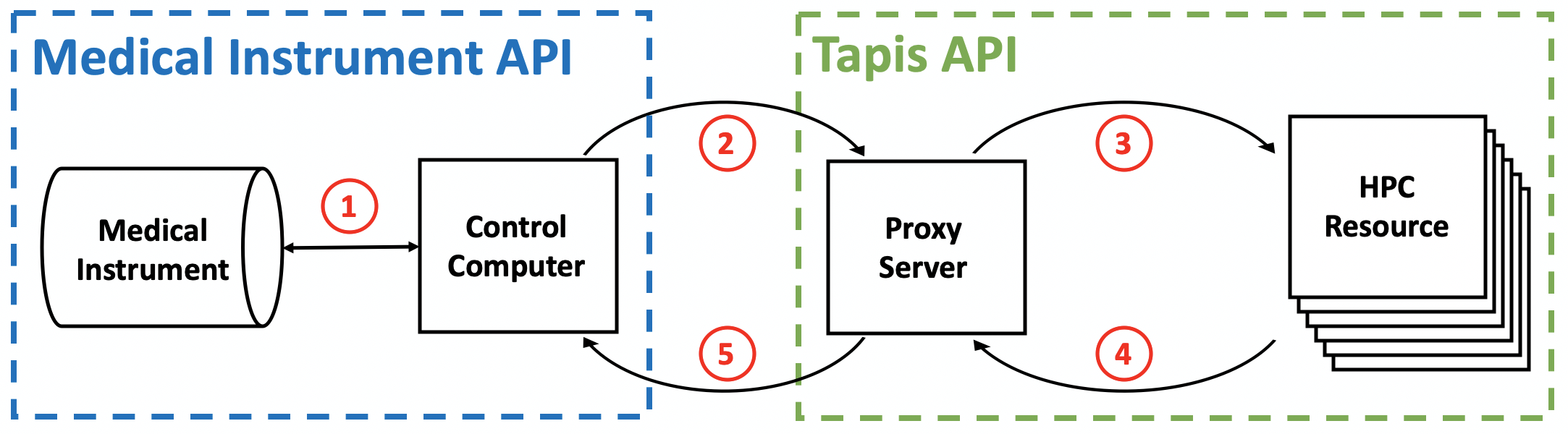
Diagram of computer systems and APIs employed.
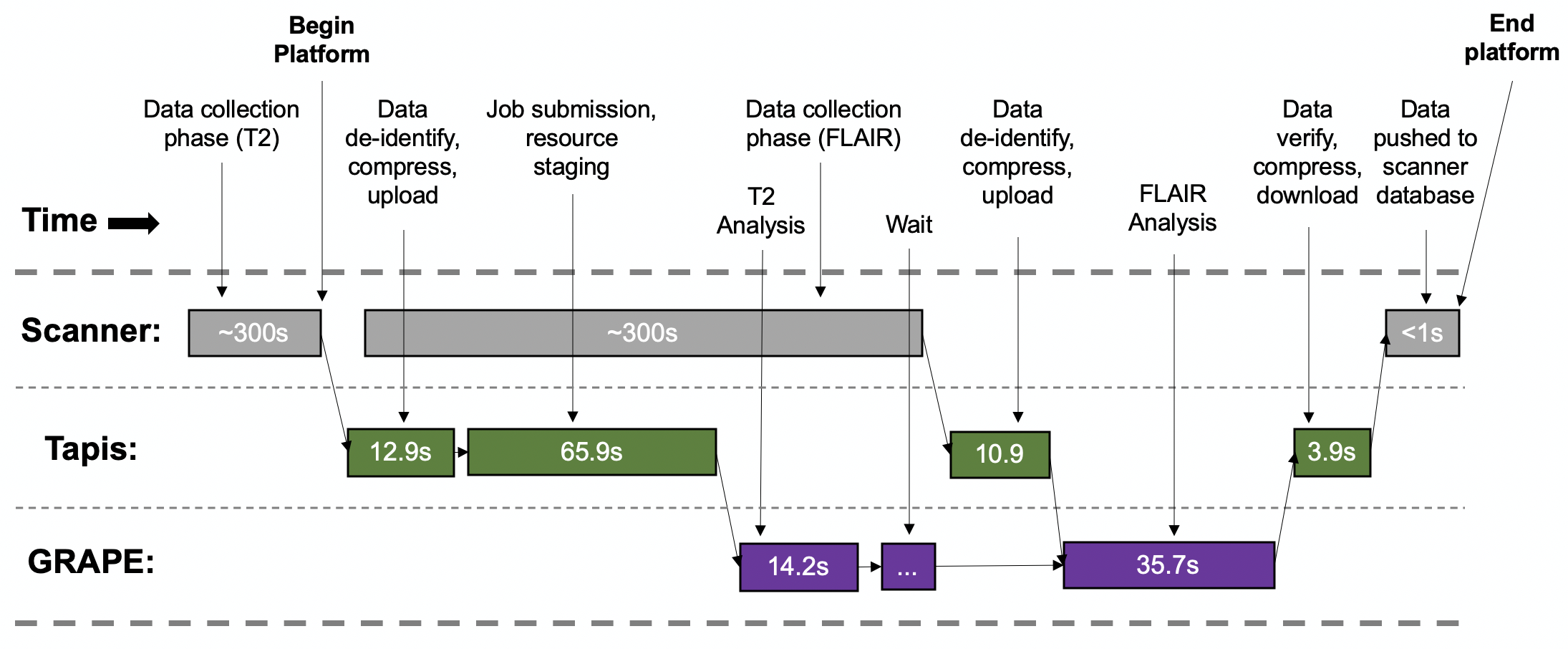
Sample platform workflow for combining two images into one enhanced image.
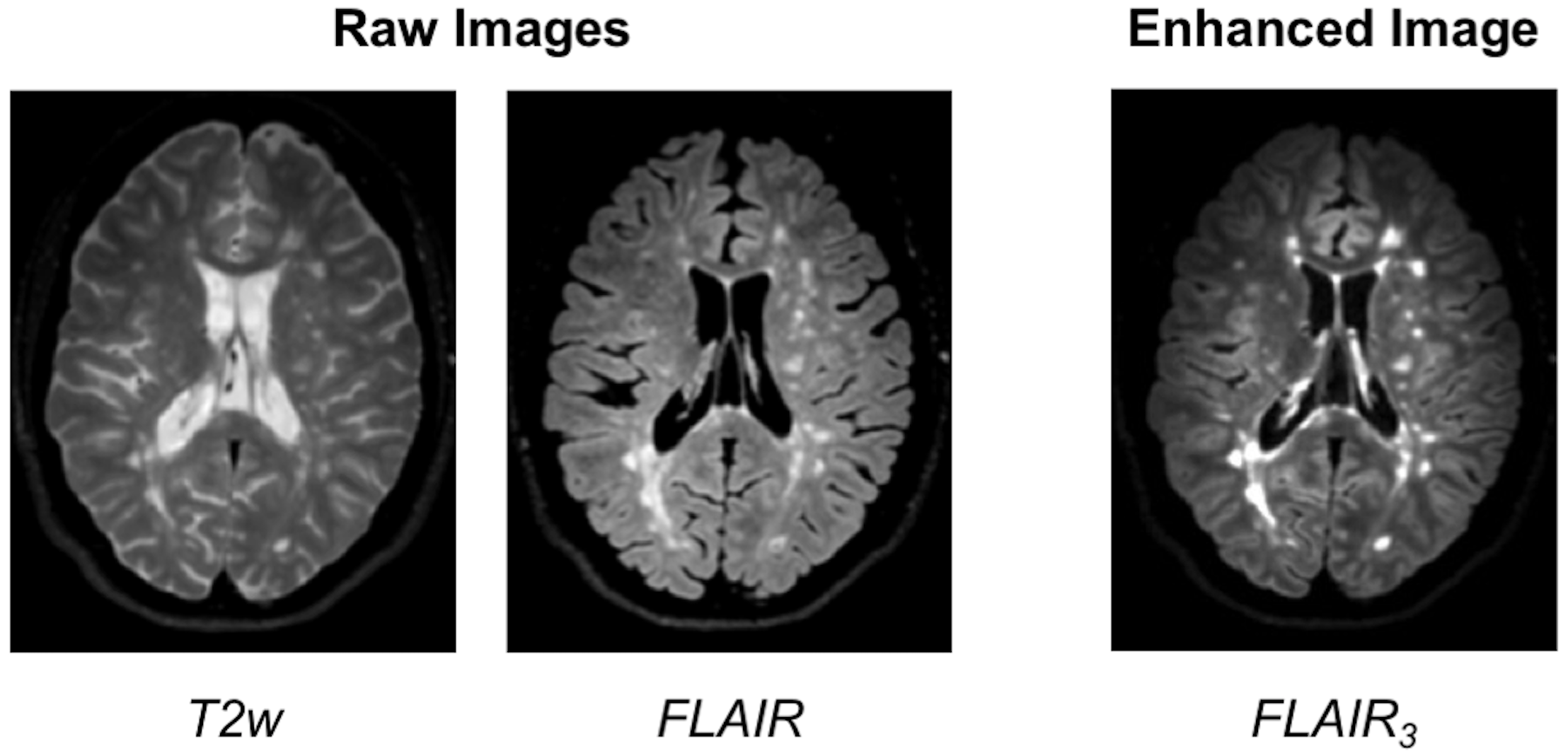
Final image shows enhanced MS lesions.
Source: https://dx.doi.org/10.1109/JBHI.2017.2771299
Attention
If you already e-mailed your TACC account to the instructors, please go ahead and try the exercise below.
Bringing it All Together
Hopefully these examples start to show you what kind of software projects we will be working on this semester. Each week will be introducing a new concept, tool, or technology that will slowly be building to a larger overall framework with many moving parts.
For Next Time
Using your SSH client, please try to log in to the class server before the next class period:
[local]$ ssh username@isp02.tacc.utexas.edu
username@isp02.tacc.utexas.edu's password:
Last login: Sun Jan 17 23:48:54 2021 from cpe-24-27-53-74.austin.res.rr.com
------------------------------------------------------------------------------
Welcome to the Texas Advanced Computing Center
   at The University of Texas at Austin

** Unauthorized use/access is prohibited. **

If you log on to this computer system, you acknowledge your awareness
of and concurrence with the UT Austin Acceptable Use Policy. The
University will prosecute violators to the full extent of the law.

TACC Usage Policies:
http://www.tacc.utexas.edu/user-services/usage-policies/

TACC Support:
https://portal.tacc.utexas.edu/tacc-consulting

------------------------------------------------------------------------------
Intel(R) Parallel Studio XE 2017 Update 1 for Linux*
Copyright (C) 2009-2016 Intel Corporation. All rights reserved.
[remote]$ hostname -f
isp02.tacc.utexas.edu      # success!